See Claude Code, Codex and pi sessions from all your machines over SSH
Claude Code, Codex and pi each keep their transcripts on the machine they ran on, so a session on another Mac or a Linux server is normally only readable by SSHing in and opening its files there. Remote Sessions lets ACTVT read Claude Code, Codex CLI and Pi sessions from your other Macs and Linux servers over plain SSH. They show up on one timeline on your Mac, each labelled with the machine it ran on. Nothing goes through a cloud service, and nothing is left running on the other machine. Remote Sessions comes with any paid tier.
1:245 chapters
Step by step
0:00Add another machine
You need this Mac and one other machine on the same tailnet. In Settings → Agents, turn on Remote Sessions, then add the machine by name or let ACTVT find the machines on your tailnet. Here I’m adding another Mac. ACTVT talks over SSH to the actvt-cli installed on it.
0:18Start Claude Code over there
In Terminal, I SSH into that machine and start Claude Code. I’m asking it to benchmark a parser with and without its cache.
0:41Watch it from here
Back on my Mac, the session shows up while it’s running, with the other machine’s name on it. Each machine also gets its own view.
0:48Get told when it’s done
When Claude finishes on the other machine, it tells ACTVT, and the notification pops up on my Mac in Claude’s own words.
0:57Read it and pick it up
The whole transcript opens on my Mac, tables and all. If I want to carry on, I can resume the session on the machine it ran on with one click. Linux servers work the same way as Macs.
Questions
- Does anything run on the other machine?
- Only actvt-cli, when ACTVT asks; nothing stays running.
- Does it need a cloud account?
- No, it talks over plain SSH.
More tutorials
All tutorials →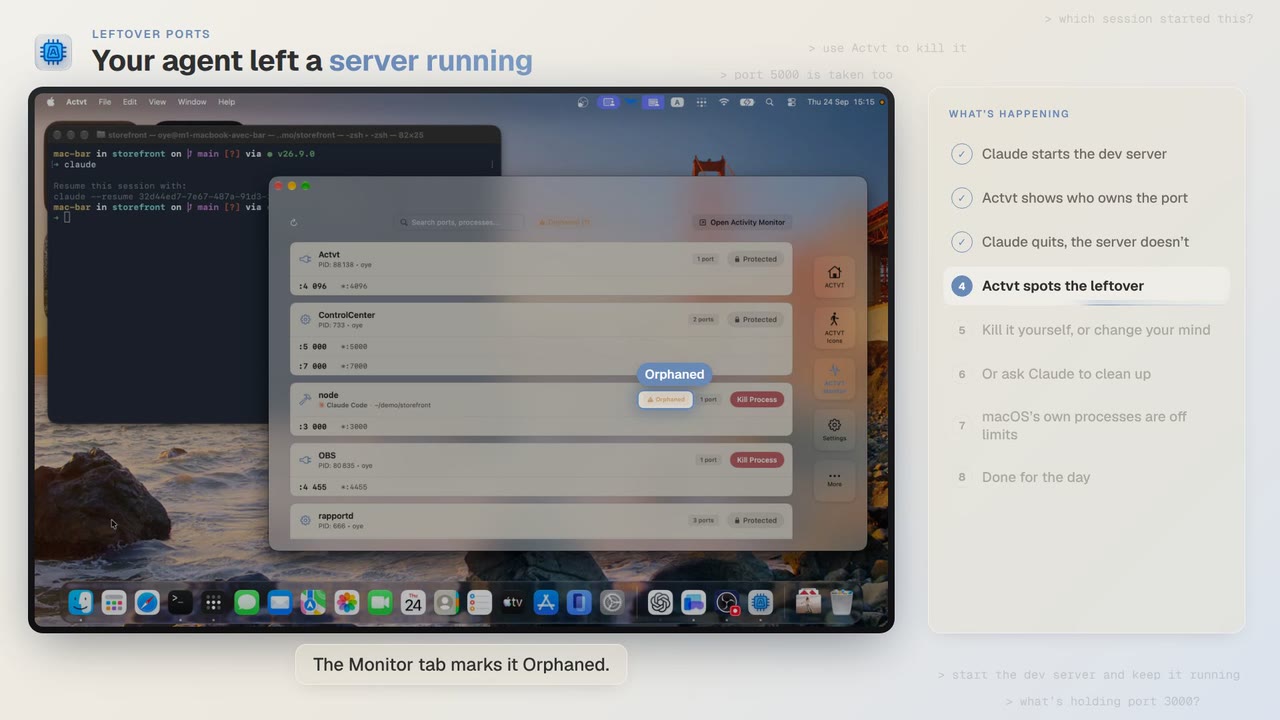 3:42
Leftover ports
Find and kill the dev server Claude Code or Codex left running
Claude Code starts a dev server and then quits, and port 3000 stays taken. ACTVT shows you the server whose session is gone and lets you free the port safely.
 0:48
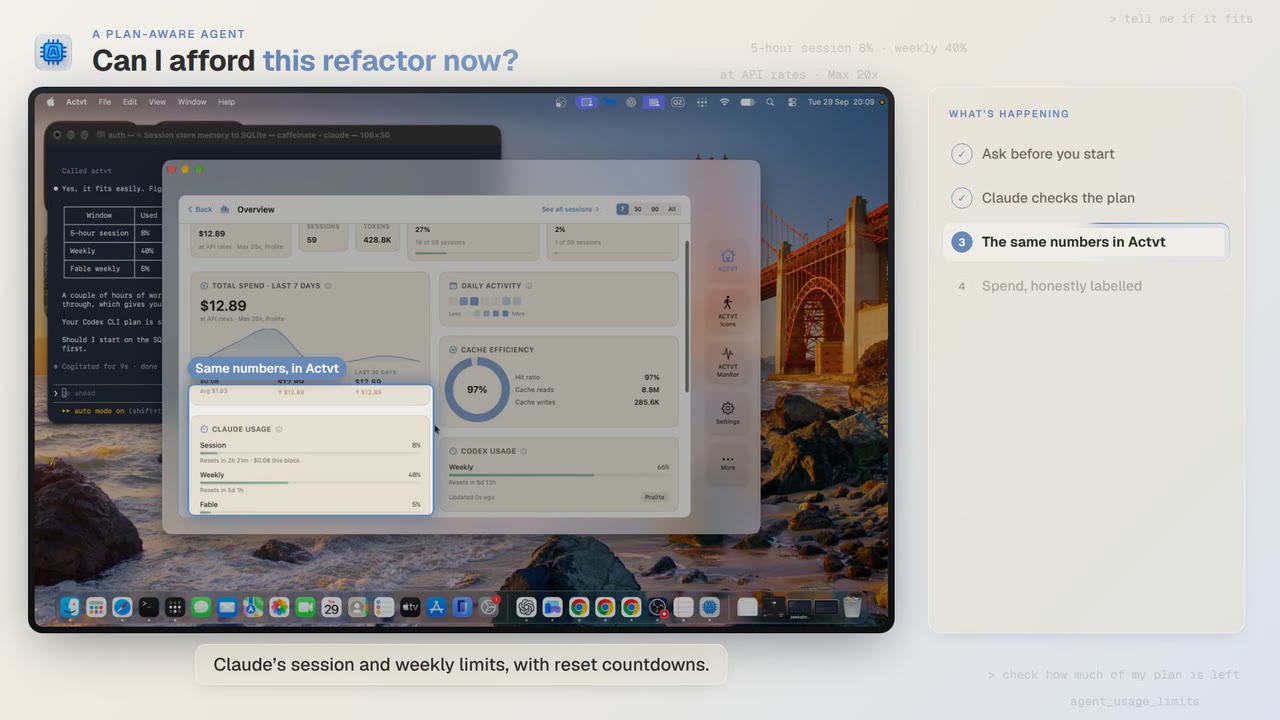
A plan-aware agent
Check your Claude and Codex plan limits before a long agent job
Before a two-hour job, Claude Code asks ACTVT how much of your plan is left. You can see the same limits in ACTVT, along with when each one resets.
 2:14
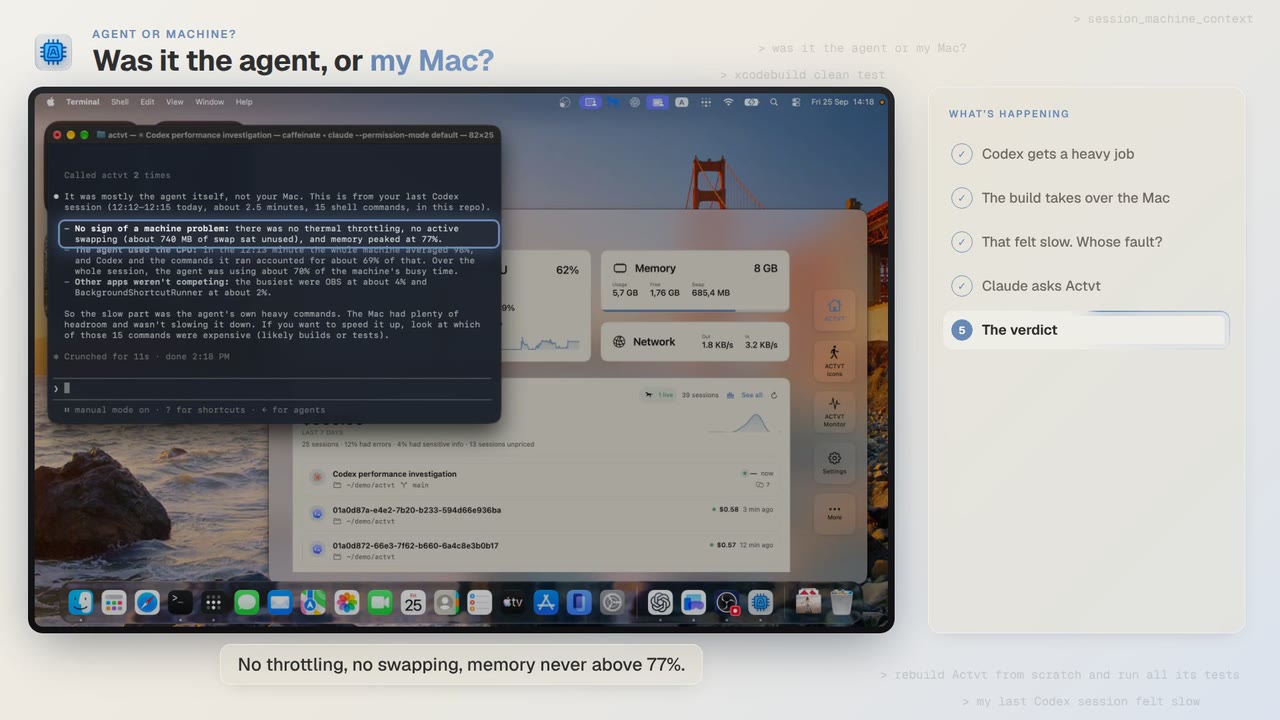
Agent or machine?
Was Codex slow, or was it my Mac?
A Codex build felt slow. Claude asks ACTVT what the Mac was doing during that session and gets an answer with the numbers behind it.
Try it on your own agents
ACTVT is free to start, and reads the session files Claude Code, Codex CLI and Pi already write. Nothing to configure.